My portfolio, designed by me and built with AI
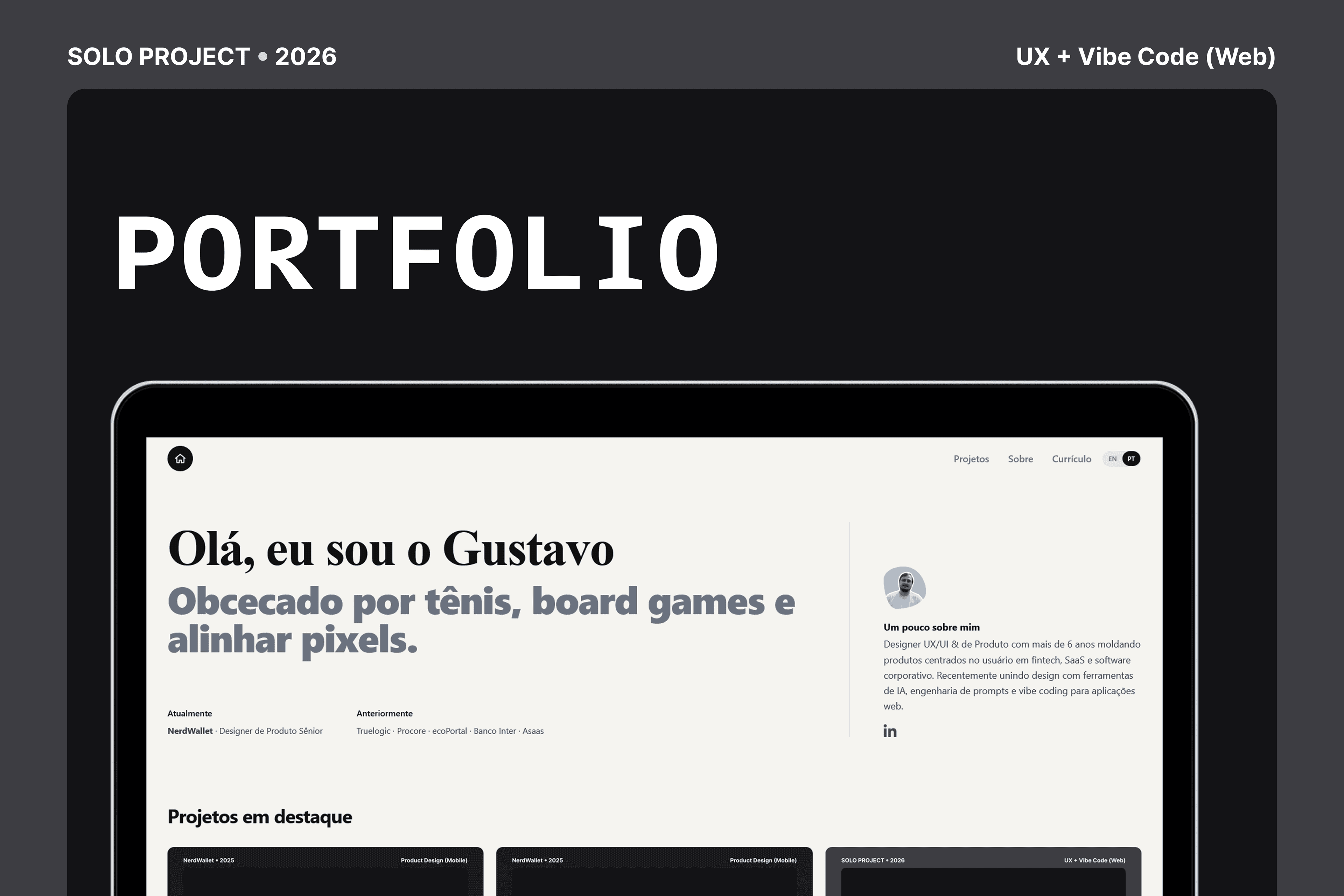
The site you're reading now. I designed every screen and used prompt engineering to direct the AI that wrote the code, from the CMS to the visual identity. The same practice I use every day at work, applied here at real production scale.
- Role
- Product Designer · Prompt Engineering
- Timeline
- 2026, ongoing
- Platform
- Web
- Team
- Solo
Overview
Most portfolios are a template with someone else's name dropped in. I wanted mine to prove a practice I've been building for a while: directing AI models to turn design decisions into a real product, with a CMS, deploys, and a real content model. My strength was never writing code line by line. It's translating a problem into clear instructions, reviewing what the AI produces with the eye of someone who designs interfaces every day, and pushing until the result is right. That comes from courses I've taken on the topic and from using AI daily at work, and it keeps evolving: I'm still learning and testing new tools for this very site.
Why build it with AI, not alone in the code
I could have shipped a template in an afternoon. I didn't, because the point wasn't a finished portfolio. It was testing how far prompt engineering can take me when the outcome has to run in production, with a CMS, deploys, and decisions I'd defend in a design review.
Designers spend their careers specifying work for someone else to build. I swapped that someone else for an AI and took on the job of directing it: I designed every screen, wrote every prompt, reviewed every line it generated, and asked for changes until the behavior was right. That changes how you design. You stop drawing things that are expensive to build for no reason, and you start noticing the small interactions that only exist when someone, or a well directed AI, bothers to write every detail.
The goal wasn't to prove I can code. It was to prove I can direct an AI, with precise prompts, all the way to a product I'd put my name on.
None of this came out of nowhere. I've taken courses like Claude Design Fundamentals and Claude Cowork, Code: The Practical Guide, plus Generative AI for UI/UX Design, and I use AI every day in my design work, prototyping and validating ideas before I even open Figma. This site is that practice applied at real scale, and it's an area I keep studying: I'm still discovering, testing, and learning new tools to evolve the site itself.
The stack, and how I got there
The site runs on Next.js 15 (App Router) with React 19, styled with Tailwind CSS, animated with Framer Motion, and typed end to end with TypeScript. Content lives in Sanity, with the Studio embedded at /studio so editing happens inside the same app. It deploys to Vercel on every push to main.
I didn't choose this stack because I already knew every piece of it. I chose it because I knew, through research and through prompting practice, what each tool solves, and then I directed the AI, prompt by prompt, until the implementation was correct. Each choice was deliberate:
- Next.js and Vercel: server rendered pages for a fast first paint and clean URLs per case study, with zero config deploys, so shipping is a git push.
- Sanity: a real content model, not Markdown files I'd have to redeploy to change. Text, images, and ordering are editable in a visual Studio.
- Framer Motion: restrained, purposeful motion (reveal on scroll, a sliding panel for projects) rather than decoration.
- Tailwind: a constrained design token system that keeps spacing and color consistent without a separate design system repo.
Designing the content model
The hardest work wasn't visual, it was the schema. A portfolio is only as flexible as the shape of its data, so I described to the AI how I wanted projects modeled: documents with localized fields, a meta block (role, timeline, platform, team), tags, and an array of content blocks.
Each block carries a heading, a rich text body, and an optional set of images with a chosen layout. Specifying that structure, and reviewing every attempt the AI made until it worked correctly, is what lets a case study be expressive without me asking for bespoke code per project: the same renderer handles every story.
Bilingual by design, not by plugin
The whole site is English and Portuguese, and language is a first class field rather than an afterthought. Every localized value is a { en, pt } pair, resolved through a small language context, with a toggle in the nav. Writing the content model this way meant bilingual support came for free at every layer: cards, case studies, even the CMS fields.
Rich text and a real image gallery
Early on, case study bodies were plain strings. That broke the moment a story needed a bulleted list or a pull quote. So I asked to move bodies to Portable Text, with a renderer that maps the CMS's styles to the site's typography: bold, lists, sub headings, and quotes rendered as a rounded callout box.
Images got the same treatment. Block images support multiple layouts: a default gallery with a featured image and a thumbnail strip, plus stacked, side by side grid, and a Pinterest style masonry. A click opens any image in a full screen lightbox. Every image renders at its natural aspect ratio, so nothing is cropped or distorted regardless of what gets uploaded.
A Markdown to CMS pipeline
Filling a portfolio with eight or nine case studies by typing into the CMS by hand is slow and error prone. So I asked for a small import pipeline: I write each case as a pair of Markdown files (one per language), and a script parses the frontmatter and converts the body to the CMS's rich text format.
I didn't write that script alone: I described the behavior I needed and reviewed every version the AI generated until it worked the way I wanted. The script is intentionally careful. It imports as drafts so nothing goes live unreviewed, skips any project that already exists so it never overwrites edits made in the Studio, and refuses to touch protected documents. It's a small tool, but it's the difference between authoring content in a comfortable editor versus fighting a web form.
What this practice taught me
Directing AI through every step made me a sharper designer, not a programmer. I make different decisions when I know the cost of each one, when I can feel that a layout is cheap and a custom interaction is expensive, instead of guessing. And that judgment comes from real practice: from the courses, from using AI daily at work, and from continuing to test new tools on this very site.
Designing the thing and directing the AI that builds it are the same skill seen from two sides. Doing both closed a gap I didn't know I had.
What I keep exploring: new AI models and agents as they appear, case study analytics to see which projects hold attention, a light and dark theme, and a guided "add a project" flow in the Studio, so future updates need even less of me.